MicroPythonでBLEのIRKを取得する手順
iPhoneがBLEで送信するアドレスはランダムに変更されるため、端末を特定するにはIRK(Identity Resolving Key)の取得が必要です
ここではmicropythonでIRKを取得するための手順を、コードを含めて解説します
概要
しくみとしては、ESP32を仮想BLEキーボードデバイスとしてアドバタイズさせて これをiPhoneからペアリングさせる過程で通知されるIRKを取得します
前提事項
以下の手順は、micropythonの環境設定とmpremoteの導入が前提となります
手順は以下の記事を参照ください
ESP32 Dev Board KitへのMicroPython実行環境設定手順
参照ライブラリの登録
以下の手順はMicroPythonBLEHIDをライブラリとして利用します
MicroPythonBLEHIDから以下の2ファイルをダウンロードしてください
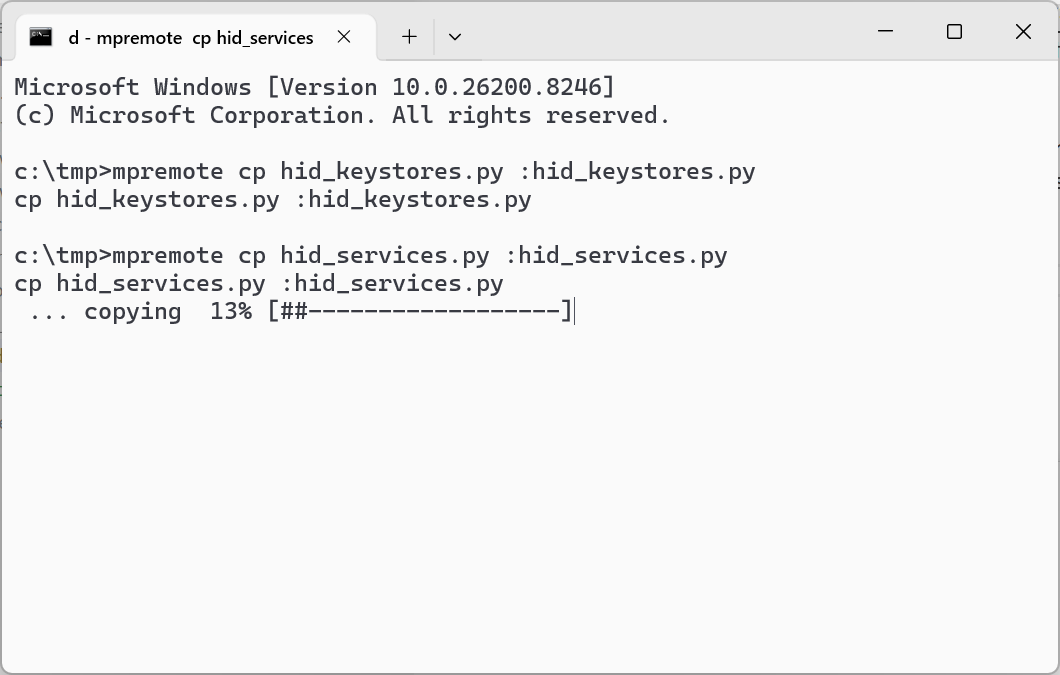
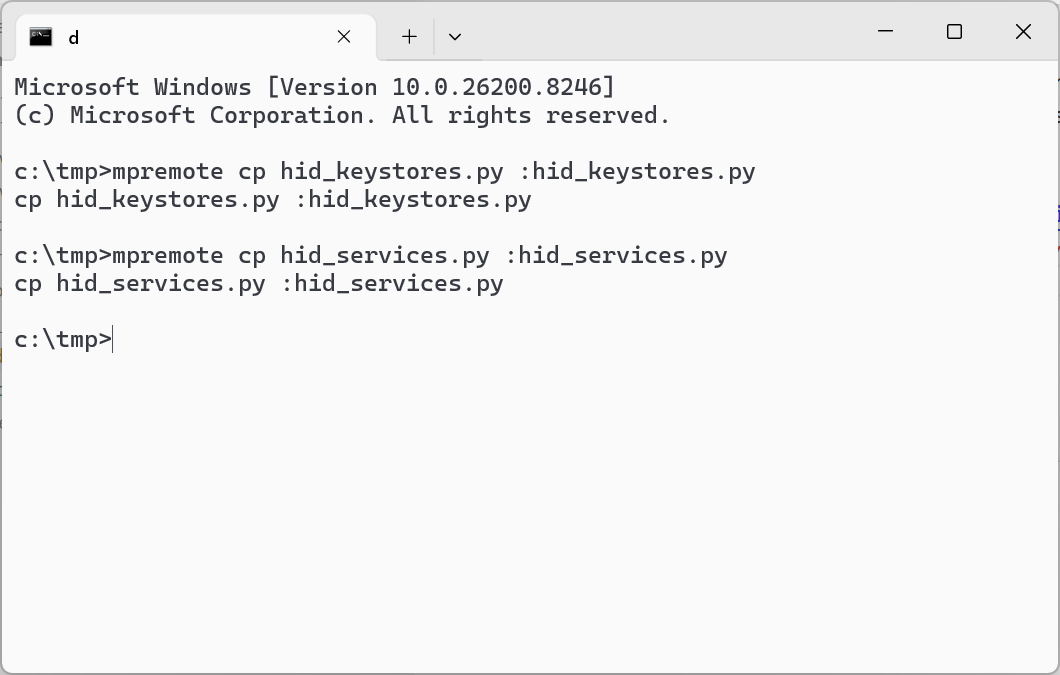
ダウンロードしたら以下のコマンドでESP32へアップロードします
(ここで使うmpremoteの導入は前提事項を参照ください)
(コマンドはダウンロードファイルを保存したフォルダで実行してください)
mpremote cp hid_keystores.py :hid_keystores.py
mpremote cp hid_services.py :hid_services.py
IRK取得コード
IRK取得のコードを記載します
以下のコードをirk_getter.pyとして保存してください
import time
from machine import SoftSPI, Pin
from hid_services import Keyboard
from micropython import const

_IO_CAPABILITY_NO_INPUT_OUTPUT = const(3)
_IRQ_GATTS_READ_REQUEST = const(4)

_IRQ_GET_SECRET = const(29)
_IRQ_SET_SECRET = const(30)

_GATTS_NO_ERROR = const(0x00)
_GATTS_ERROR_INVALID_HANDLE = const(0x01)
_GATTS_ERROR_READ_NOT_PERMITTED = const(0x02)
_GATTS_ERROR_INSUFFICIENT_AUTHENTICATION = const(0x05)
_GATTS_ERROR_INSUFFICIENT_AUTHORIZATION = const(0x08)
_GATTS_ERROR_INSUFFICIENT_ENCRYPTION = const(0x0f)

class dummy_Keyboard(Keyboard):

    def __init__(self, name="Dummy Keyboard"):
        super(dummy_Keyboard, self).__init__(name)
        self.stop = False

    def notify_hid_report(self):
        pass

    def ble_irq(self, event, data):
        if event == _IRQ_SET_SECRET:
            sec_type, key, value = data
            if value is None:                                                                                           # If value is empty, and
                if self.secrets.has_secret(sec_type, key):                                                              # If key is known then
                    self.secrets.remove_secret(sec_type, key)                                                           # Forget key
                    self.secrets.save_secrets()
                    return True
                else:
                    return False
            else:
                self.secrets.add_secret(sec_type, key, value)                                                           # Remember key/value

                if(sec_type == 2):
                    irk_bytes = bytes(value)[41:57]
                    irk_bytes_reverse = bytes(list(reversed(irk_bytes)))
                    irk = irk_bytes_reverse.hex()
                    print(f"irk:{irk}")

                    self.stop = True

            return True
        elif event == _IRQ_GATTS_READ_REQUEST:
            conn_handle, attr_handle = data
            description, val = self.characteristics.get(attr_handle, (None, None))
            if conn_handle != self.conn_handle:                                                                         # If different connection, return no permission.
                return _GATTS_ERROR_READ_NOT_PERMITTED
            elif description == None:                                                                                   # If the handle is unknown, return invalid handle.
                return _GATTS_ERROR_INVALID_HANDLE
            elif self.bond and not self.bonded:                                                                         # If we wish to bond but are not bonded, return insufficient authorization.
                return _GATTS_ERROR_INSUFFICIENT_AUTHORIZATION
            elif self.io_capability > _IO_CAPABILITY_NO_INPUT_OUTPUT and not self.authenticated:                        # If we can authenticate but the client hasn't authenticated, return insufficient authentication.
                return _GATTS_ERROR_INSUFFICIENT_AUTHENTICATION
            elif self.le_secure and (not self.encrypted or self.key_size < 16):                                         # If we wish for a secure connection but it is unencrypted or not strong enough, return insufficient encryption.
                return _GATTS_ERROR_INSUFFICIENT_ENCRYPTION
            else:                                                                                                       # Otherwise, return no error.
                return _GATTS_NO_ERROR
        elif event == _IRQ_GET_SECRET:
            None
        else:
            return super(dummy_Keyboard, self).ble_irq(event, data)

class IrkGetter:
    def __init__(self):
        # Define state
        self.key0 = 0x00
        self.key1 = 0x00
        self.key2 = 0x00
        self.key3 = 0x00

        # Define buttons
        self.pin_forward = Pin(5, Pin.IN)
        self.pin_reverse = Pin(23, Pin.IN)
        self.pin_right = Pin(19, Pin.IN)
        self.pin_left = Pin(18, Pin.IN)

        self.keyboard = dummy_Keyboard("IRK getter")
        self.keyboard.set_state_change_callback(self.keyboard_state_callback)
        self.keyboard.start()

    # Function that catches device status events
    def keyboard_state_callback(self):
        if self.keyboard.get_state() is Keyboard.DEVICE_IDLE:
            return
        elif self.keyboard.get_state() is Keyboard.DEVICE_ADVERTISING:
            return
        elif self.keyboard.get_state() is Keyboard.DEVICE_CONNECTED:
            return
        else:
            return

    def advertise(self):
        self.keyboard.start_advertising()

    def stop_advertise(self):
        self.keyboard.stop_advertising()

    def main_logic(self):
        while True:
            self.key0 = 0x1A

            if (self.key0 != 0x00) or (self.key1 != 0x00) or (self.key2 != 0x00) or (self.key3 != 0x00):
                if self.keyboard.get_state() is Keyboard.DEVICE_CONNECTED:
                    self.keyboard.set_keys(self.key0, self.key1, self.key2, self.key3)
                    self.keyboard.notify_hid_report()
                elif self.keyboard.get_state() is Keyboard.DEVICE_IDLE:
                    self.keyboard.start_advertising()
                    i = 10
                    while i > 0 and self.keyboard.get_state() is Keyboard.DEVICE_ADVERTISING:
                        time.sleep(3)
                        i -= 1
                    if self.keyboard.get_state() is Keyboard.DEVICE_ADVERTISING:
                        self.keyboard.stop_advertising()

            if self.keyboard.get_state() is Keyboard.DEVICE_CONNECTED:
                time.sleep_ms(20)
            else:
                time.sleep(2)

            if self.keyboard.stop:
                break

if __name__ == "__main__":
    d = IrkGetter()
    d.main_logic()
IRK取得の実行
IRK取得処理を実行します
(ここで使うmpremoteの導入は前提事項を参照ください)
(コマンドは上記irk_getter.pyを保存したフォルダで実行してください)
mpremote run irk_getter.py
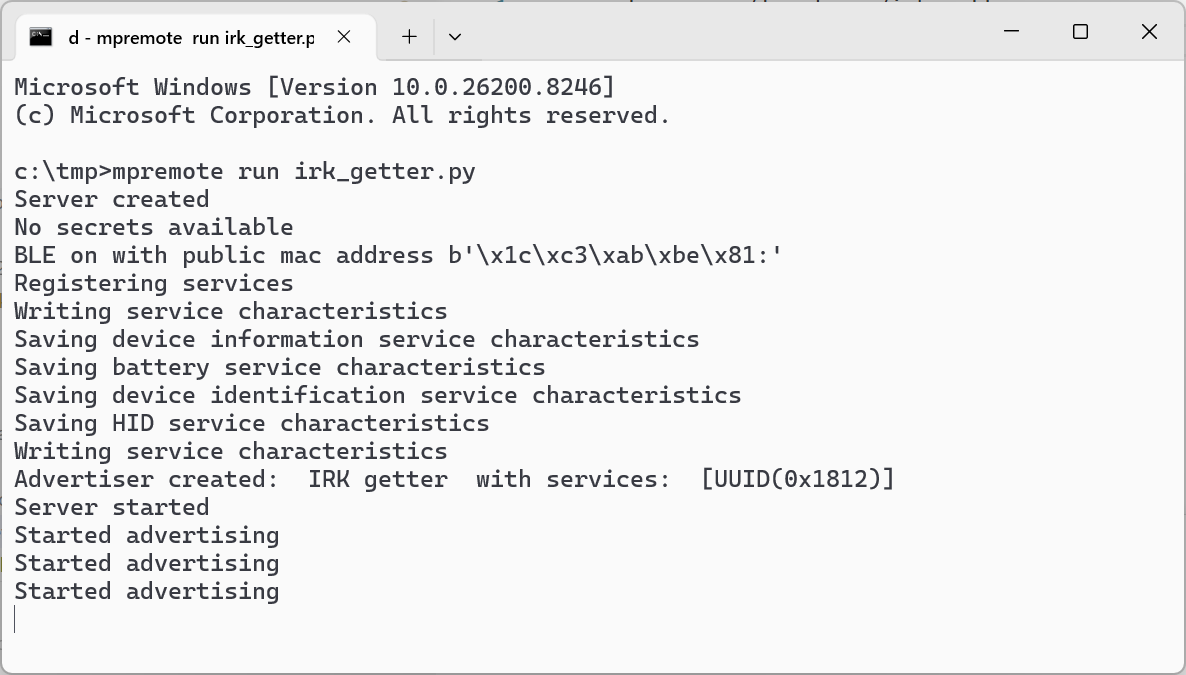
👆こんな感じでStarted advertisingと出力されたら準備完了です
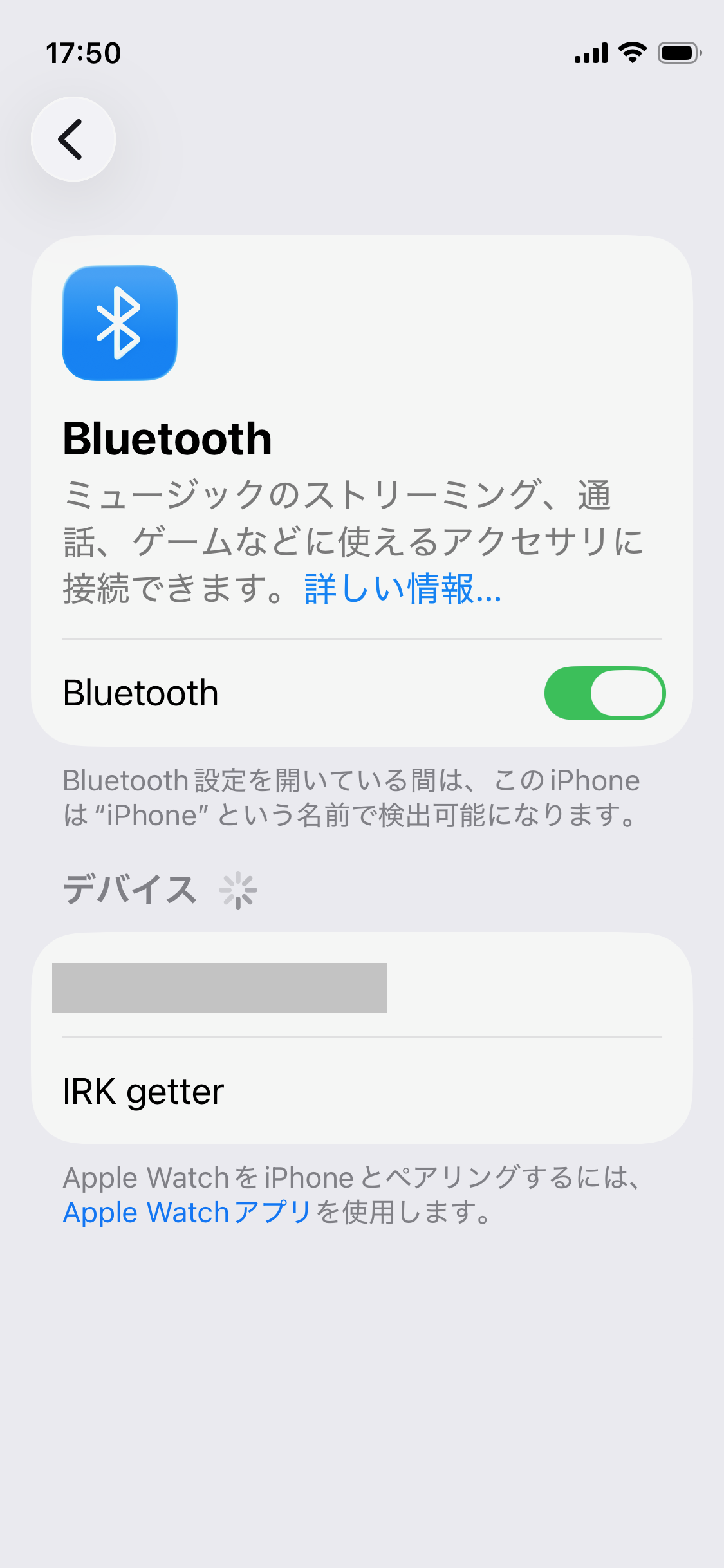
👆検出したいiPhoneのBluetooth設定からIRK Getterを見つけます
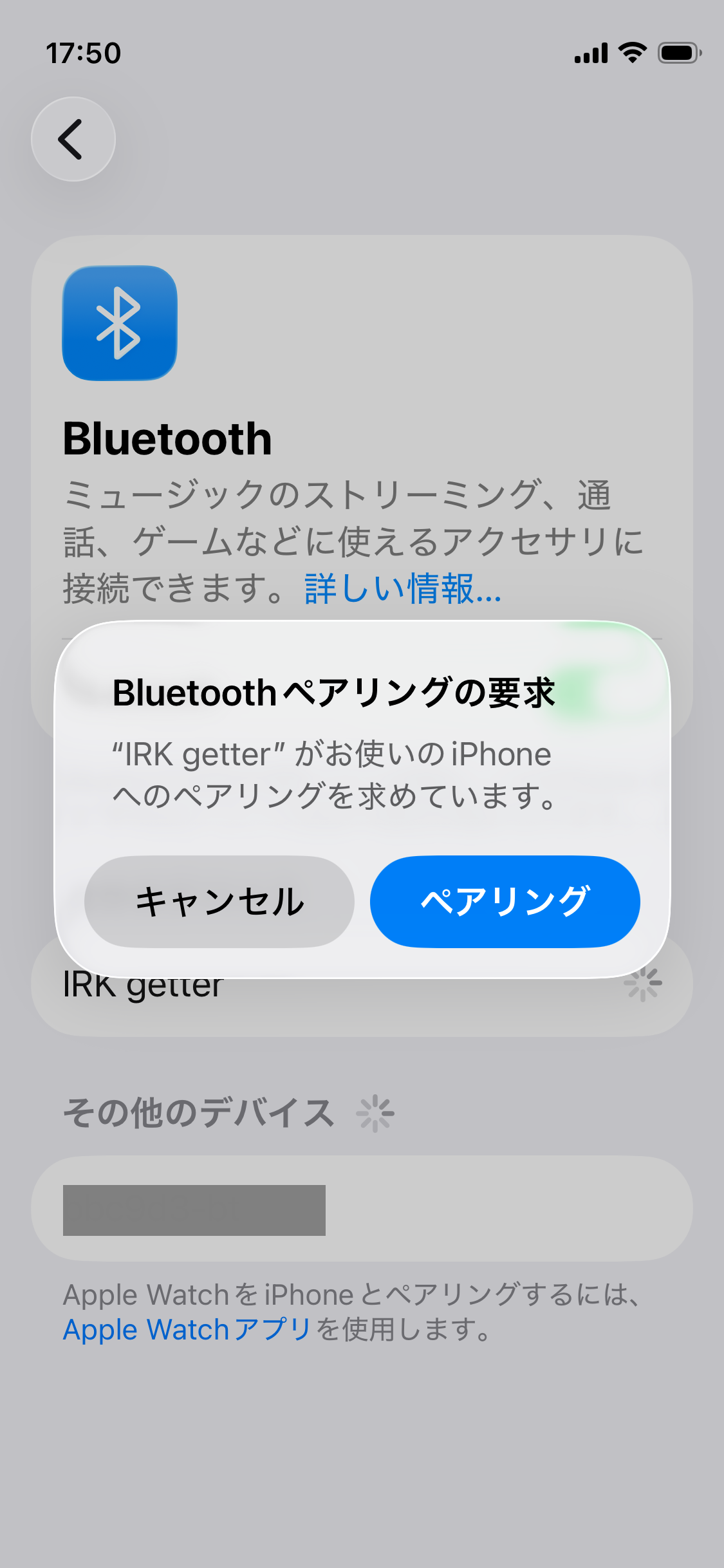
👆IRK Getterをペアリングします
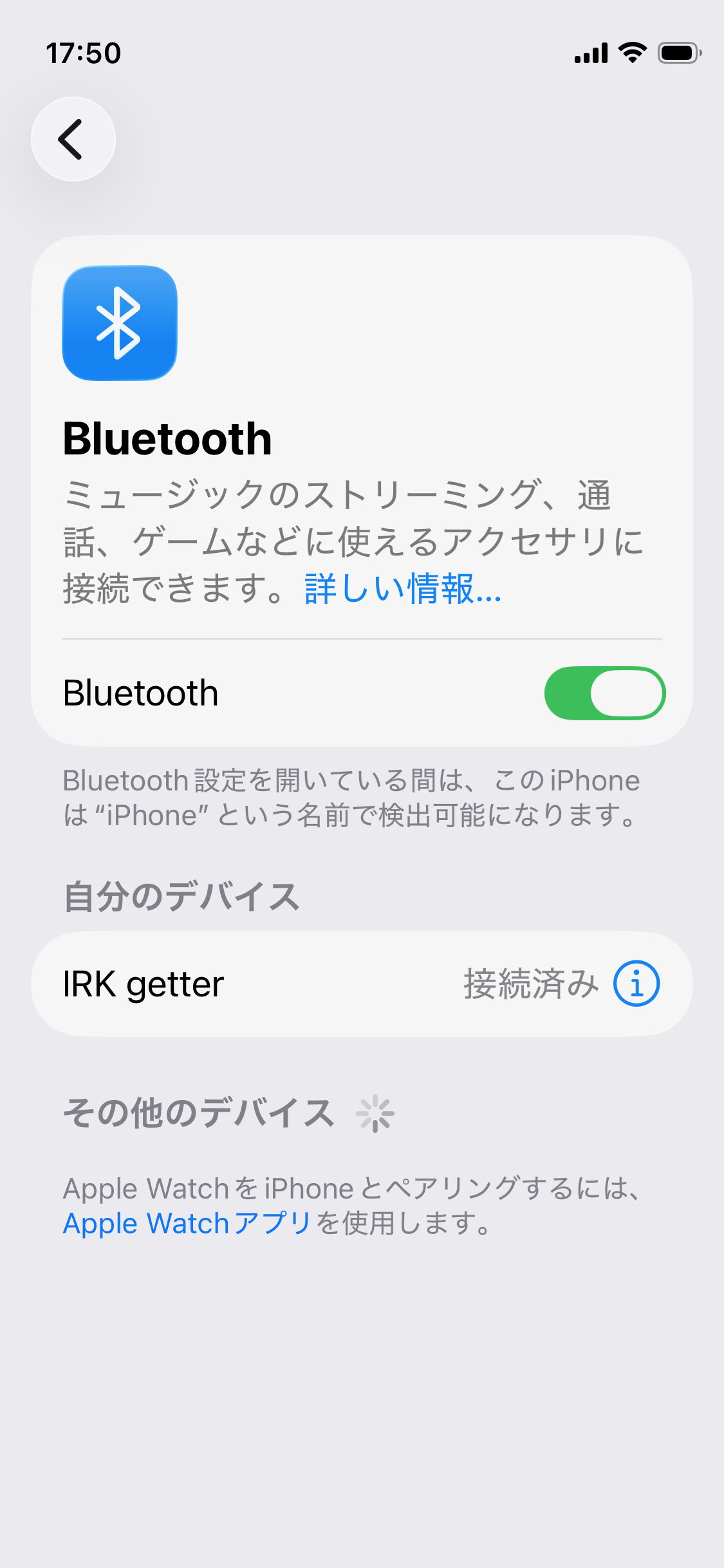
👆IRK Getterが接続済みになります
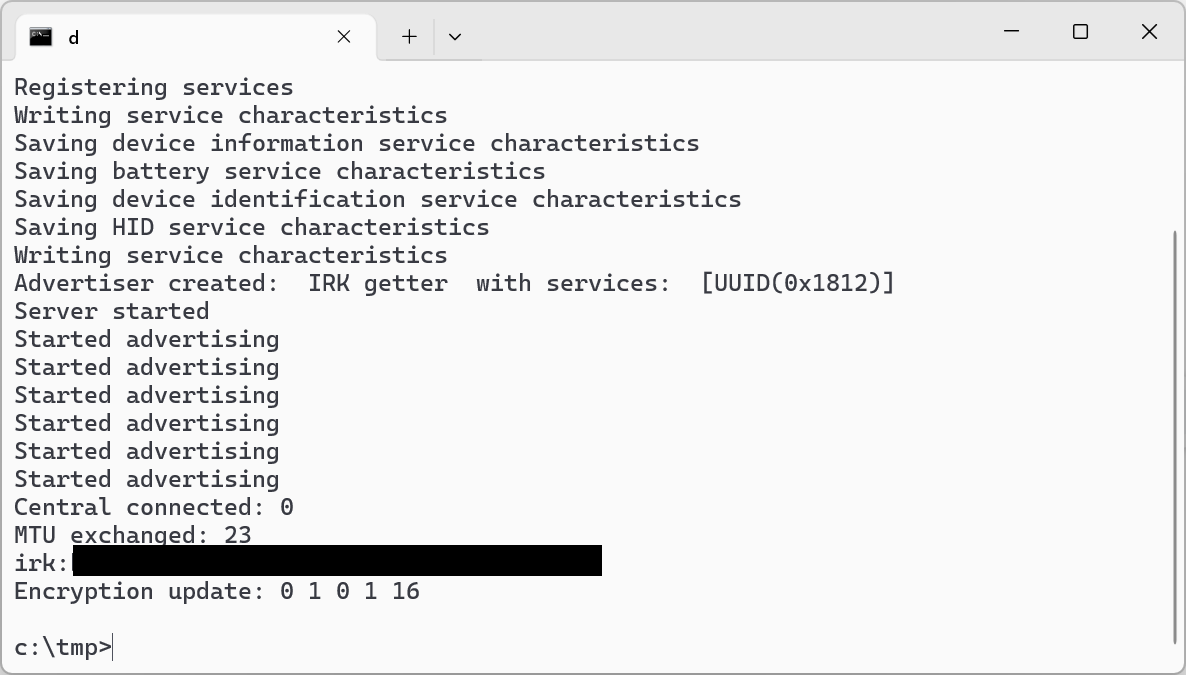
👆このタイミングでコンソールにIRKが出力されるのでコピーして控えてください
👇関連記事
👇参考URL
本記事へのリンク
https://docs.saurus12.com/device/irk_get_code
[keywords]
ESP32 BLE IRK
更新日:2026年04月26日

